TV Antenna Reception: Which Signal Booster Fits Your Setup?
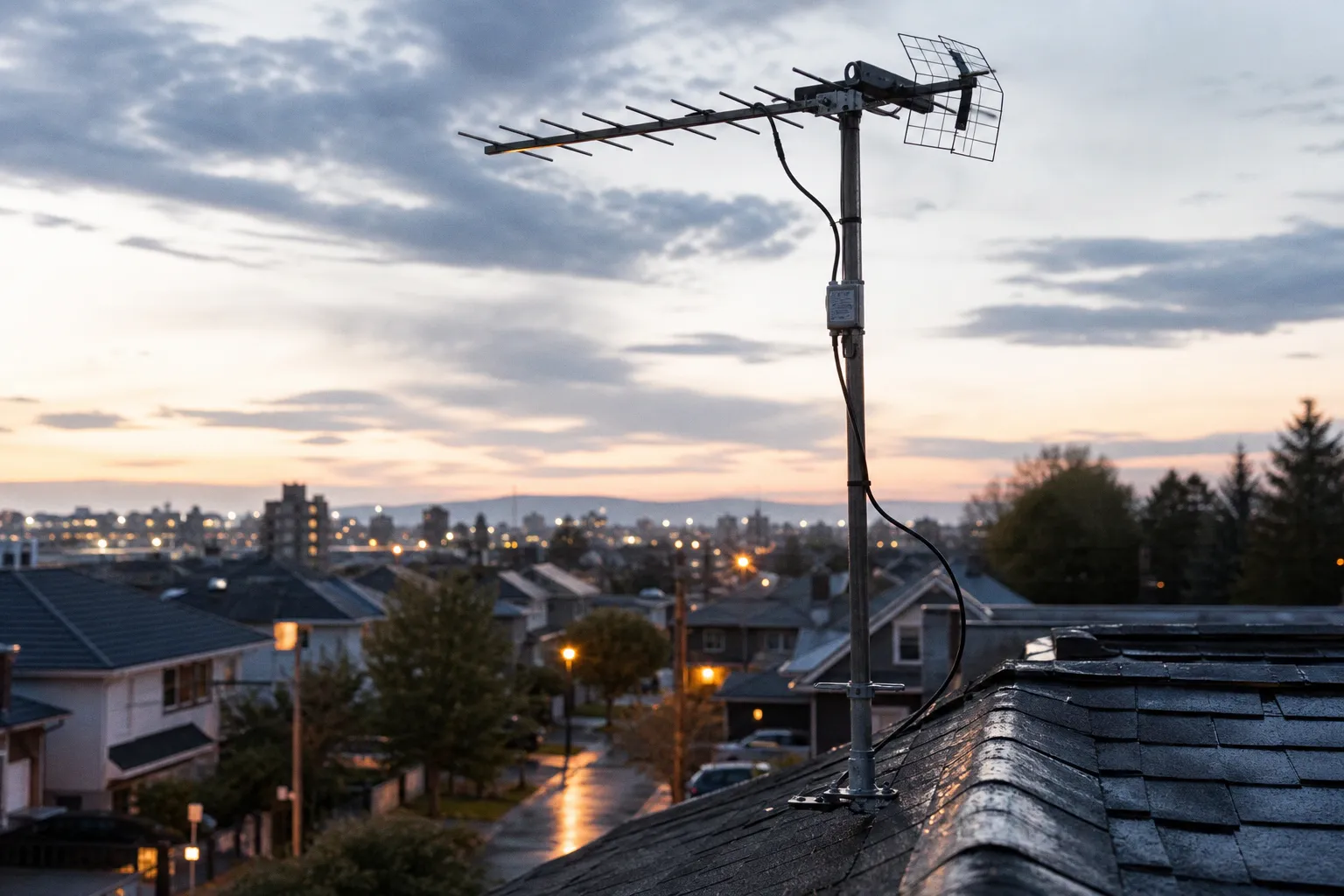
That is enough to turn a clean local-news feed into pixelation, audio dropouts, and channels that disappear whenever the weather changes.
But here is the part antenna-booster marketing avoids saying: a booster is not automatically the best way to increase TV antenna reception. It can fix a measurable loss. It can also overload your tuner and make reception worse than it was with no amplifier at all.
I test cord-cutting gear with the same rule I use for streaming boxes: identify the bottleneck before spending money. For over-the-air TV, the bottleneck is usually one of two things. You either have a weak signal that is degrading on a long coax run, or you have a decent signal that is being divided among too many TVs. Those need different hardware.
Preamplifier vs. distribution amplifier: the hardware is not interchangeable
The phrase “TV antenna signal booster” covers two very different products. Retail listings often mash them together because confusion sells more 30 dB boxes. Do not fall for it.
A preamplifier belongs near the antenna, usually outdoors on the mast. Its job is to preserve a weak signal before the cable run, connectors, and splitters chew it up. It is the right tool when your antenna itself receives channels, but those channels become unreliable after traveling a long distance to the TV.
A distribution amplifier belongs indoors, after the antenna feed enters the house. Its job is to replace the signal lost when one antenna feed is split to serve two, three, or several televisions. It expects a reasonably healthy incoming signal. It is not a rescue device for an antenna that barely works in the first place.
| Setup problem | Correct hardware | Where it goes | Typical gain range |
|---|---|---|---|
| Weak reception after a long cable run from a roof or attic antenna | Mast-mounted preamplifier | As close to the antenna as practical | 12–30 dB |
| Good reception on one TV, poor reception after adding more TVs | Distribution amplifier | Indoors, before the splitter or integrated with one | 3–10 dB |
| No channels or unstable channels directly at the antenna | Neither—fix antenna placement or cabling first | N/A | N/A |
| Strong local stations breaking up after adding a powerful amp | Remove or reduce amplification | N/A | N/A |
I start every diagnosis with one blunt test: connect one television directly to the antenna feed, bypassing the splitter and any existing amplifier. Then rescan channels.
If reception improves sharply, the downstream wiring is the culprit. That points toward a distribution amp, a better splitter, or replacement coax. If reception is still weak at that direct connection, your problem is upstream: antenna position, antenna type, obstructions, distance from transmitters, or a long cable run that calls for a preamp at the antenna.
Buy gain to replace documented loss, not because the word “boost” sounds like a solution.
The math of splitter loss is boring—and it saves money
Cable TV trained people to think any coax outlet should work. OTA antenna signals are less forgiving because you are managing a signal captured from the air, not one pumped down a provider’s network at controlled levels.
Each split reduces available signal power. The losses are predictable enough to plan around:
- A 2-way splitter costs about 4 dB per output.
- A 3-way or 4-way splitter costs roughly 8 dB.
- An 8-way splitter consumes around 14 to 15 dB.
- Every long coax run adds attenuation, and the loss rises with frequency. The UHF channels carrying much of today’s broadcast lineup are not where you want cheap cable and loose fittings.
Here is a common real-world setup: a rooftop antenna feeds a 50-foot cable run into a utility room, then a 4-way splitter distributes service to three televisions and a network tuner. A basic 4-way split alone removes around 8 dB. Add coax length, wall plates, older fittings, and a questionable barrel connector, and the margin can vanish.
In that case, I would not bolt a 30 dB preamp to the mast by reflex. If the signal is healthy before the split, a 3 to 10 dB distribution amplifier is the cleaner fix. It compensates for the network loss without forcing excessive gain into every tuner.
The distinction matters because the best way to boost a TV antenna signal is often to stop wasting signal, not to amplify it harder.
Cable runs matter more than packaging claims
I still find RG-59 in homes that have otherwise been renovated twice. It was common, it is thin, and it is not where I want an OTA system to end up. Replace it with properly terminated RG-6, preferably double- or quad-shielded cable where interference is a concern.
The gain from that change will not look exciting in a store listing. No giant “50-mile” badge. No artificial signal bars. But lower attenuation and stronger shielding are real improvements. So is removing unused splitters left behind by cable installers.
My order of operations is simple:
1. Eliminate dead hardware. Remove abandoned splitters, cheap couplers, and wall plates that serve no purpose. Every connection is another possible loss point or corrosion site.
2. Run a direct test. Feed one TV or tuner from the antenna with the shortest practical RG-6 cable. This establishes whether the antenna is delivering usable signal.
3. Add the household complexity back. Reconnect the splitter and each branch. If the failure starts after splitting, use a distribution amp sized for that loss.
4. Move amplification upstream only when needed. If a long run is weakening an already marginal signal, install a low-noise preamp close to the antenna.
5. Rescan after every meaningful change. TVs cache channel maps. A channel that was absent in the last scan does not always reappear by magic.
That sequence takes less time than returning three random “digital antenna amplifiers” to an online retailer.
Indoor vs. outdoor antenna reception: fix capture before amplification
A signal booster cannot create a broadcast signal that your antenna never captured. This should be printed on every box, in large type, but that would be bad for sales.
Indoor vs. outdoor antenna reception is not a philosophical debate. It is physics, building materials, and local terrain. Indoor antennas sit behind walls, insulation, wiring, appliances, low-E window coatings, and sometimes a metal-backed roof between them and the transmitters. An outdoor antenna has a cleaner shot at the signal. An attic antenna lands somewhere in the middle: protected from weather, but still blocked and sometimes distorted by roofing materials.
Before I recommend any amplifier, I work through these OTA antenna placement tips:
- Put the antenna on the side of the home facing the broadcast towers when the layout allows it. A few feet of movement can matter more than an extra 10 dB of gain.
- Raise it before upgrading it. Height can improve line of sight and reduce obstruction from neighboring structures.
- Keep it away from metal. HVAC equipment, foil insulation, metal shelving, and large appliances can all create problems indoors.
- Do not hide a flat indoor antenna behind the TV by default. The television itself, nearby HDMI gear, and a dense bundle of power cables are terrible neighbors for RF reception.
- Aim deliberately with a live signal meter or tuner diagnostics screen. Channel scans are useful, but they are slow. Signal-quality readings are better for fine adjustment.
- Use the right antenna pattern. A directional antenna can reject unwanted signals and focus on towers in one direction. If your local stations are spread widely across the compass, a directional model may create as many problems as it solves.
For households that watch live events, this is not a minor issue. A marginal ABC, CBS, FOX, NBC, CW, or independent station can mean a missing local sports broadcast just when a game starts. The same scheduling discipline applies to competitive gaming coverage: if you are lining up a live stream and broadcast options, a current July esports match guide is more useful than trusting a stale social post.
The point is not to turn antenna setup into a hobby. It is to stop treating a bad indoor placement as something a powered box can cure.
The over-amplification trap: more gain can mean fewer channels
The most expensive mistake in this category is buying the highest-gain preamp available.
A 30 dB preamplifier can be appropriate in a difficult fringe-reception setup with a weak signal and meaningful cable loss. It is absurd when the real loss is closer to 10 or 15 dB. In that scenario, the amplifier can overdrive the tuner. The symptoms look confusing: channels may pixelate, disappear, or show lower quality after the “upgrade.”
This is overload, not weak signal.
Digital television reception has a cliff effect. Analog TV got progressively snowier as the signal declined. Digital TV often looks perfect until the error rate crosses a threshold, then it collapses into blocks or goes black. Too much amplified signal can push the tuner into a similarly ugly failure state.
Signs you have too much amplifier, not too little
I suspect over-amplification when:
- Strong nearby stations fail while weaker distant stations remain oddly watchable.
- Removing an amplifier improves channel stability.
- A television reports high signal strength but poor signal quality.
- Breakups began immediately after installing a high-gain preamp.
- Reception changes dramatically depending on which TV is connected, despite identical wiring.
The practical fix is not always “buy a weaker amp.” First, bypass the amp and rescan. If the signal comes back clean, leave the amplifier out. If you truly need distribution help for several TVs, use a modest distribution amplifier rather than putting a mast-mounted high-gain preamp ahead of everything.
Some setups benefit from adjustable gain, but I treat that feature as a diagnostic tool, not a license to turn the knob all the way up. Start low. Add only enough gain to restore reliable margin after your actual cable and splitter losses.
A tuner overloaded by a “stronger” signal is still a tuner that cannot show the game.
Noise figure, LTE filters, and the unglamorous parts that decide reception
Gain is what gets printed on the front of the box. Noise figure is what I read before buying.
Every active amplifier adds some noise. A preamp mounted near the antenna should have a low noise figure—below 2 dB is the baseline I want to see, and under 1.5 dB is better. The entire reason to mount a preamp at the mast is to amplify the captured signal before cable loss degrades its signal-to-noise ratio. A noisy preamp undermines that job.
For a distribution amplifier, a noise figure below 3.0 dB is a sensible target. It does not need the same extreme low-noise performance as a mast-mounted unit because it is not trying to preserve a fragile signal before a long run. But junk is still junk.
Then there is cellular interference. Modern boosters commonly include LTE or 5G filtering, often intended to reject cellular signals around the 700 MHz range. This matters most where a nearby cell site is blasting RF energy into the same general environment as your antenna system. Without filtering, an amplifier can boost the unwanted cellular signal along with the television channels. Again: more power, worse reception.
A decent OTA amplifier should give you these basics:
| Feature | Preamplifier | Distribution amplifier |
|---|---|---|
| Low noise figure | Crucial; aim below 2 dB, preferably under 1.5 dB | Useful; under 3 dB is a reasonable target |
| LTE/5G filtering | Strongly recommended | Strongly recommended |
| Outdoor weather protection | Required for mast installation | Not required; normally installed indoors |
| Power injector | Usually required indoors to send power over coax | Often built in or powered locally |
| Gain control | Helpful in strong-signal areas | Helpful, but modest fixed gain can be enough |
| Multiple output ports | Usually no | Often yes |
Do not confuse a power injector with an amplifier. The injector sends DC power up the coax to the mast-mounted preamp. It must be installed in the correct part of the system, typically indoors and on the line that leads back to the antenna. Put it behind the wrong splitter or use incompatible hardware, and the preamp may receive no power at all.
This is why I prefer a clean, documented signal path over a pile of adapters. Antenna to preamp, preamp to coax, coax to power injector, then to the distribution point. Keep the system legible. Future-you will thank present-you when a station disappears six months later.
ATSC 3.0 does not require a magic antenna
NextGen TV, formally ATSC 3.0, has been rolling out in U.S. markets since 2020. It brings the possibility of improved broadcast features, but it has also created a fresh round of deceptive antenna marketing.
You do not need an “ATSC 3.0 antenna.” You do not need a “4K antenna.” Standard TV antennas receive frequencies, not broadcast standards. If an antenna can receive the relevant VHF and UHF channels in your market, it can capture an ATSC 3.0 transmission.
What you need for NextGen TV is an ATSC 3.0-compatible tuner in your television or an external converter/tuner box. A booster does not convert ATSC 1.0 into ATSC 3.0. It does not unlock 4K. It does not bypass broadcaster encryption.
That last issue is messy. Some local ATSC 3.0 broadcasts may use encryption, and compatibility can involve internet connectivity and device support. Do not buy an amplifier because a product page suggests it is “NextGen ready.” Nearly any properly designed current amplifier will pass the signal. Decoding it is the tuner’s job.
For a cord-cutter, the better spending order is usually:
1. Get the antenna placement right.
2. Replace weak cable and pointless splitters.
3. Add a correctly sized amplifier only if testing proves you need one.
4. Upgrade the tuner separately if ATSC 3.0 is your goal.
My buy-or-skip verdict
Buy a mast-mounted low-noise preamplifier if you have a properly placed outdoor or attic antenna, marginal reception at the antenna feed, and a long coax path to the TV. Keep the gain proportional to the problem. A 12 to 30 dB range exists because not every house needs the same correction.
Buy a distribution amplifier if one TV works cleanly but reception falls apart after you split the feed to multiple rooms or tuners. For a 2-way or 4-way household network, modest gain is usually the sane answer.
Skip all amplification if your antenna cannot pull in stable signals on a short direct RG-6 connection. Spend that money on placement, a better antenna suited to your station directions, or a cleaner cable run. No booster repairs a signal that never arrived.
That is the verdict after years of seeing homes buried under unnecessary RF hardware: the right amplifier is useful. The biggest one is usually just a more expensive way to break your television reception.
FAQ
What is the difference between a preamplifier and a distribution amplifier?
How do I know if I have too much signal amplification?
Does a 4-way splitter cause signal loss?
Do I need a special antenna for ATSC 3.0 or NextGen TV?
What is the best way to test if I need an amplifier?
 Cable & BroadcastingSelect the best satellite TV provider for rural sports
 Cable & BroadcastingATSC 3.0 Tuners: The Best NextGen TV Boxes for Any Budget
 Cable & BroadcastingATSC 3.0 tuner solutions for Plex, DVR, and PC setups
 Cable & BroadcastingBest cable TV alternatives: our methodology and test findings