Match new tv series releases to your streaming budget
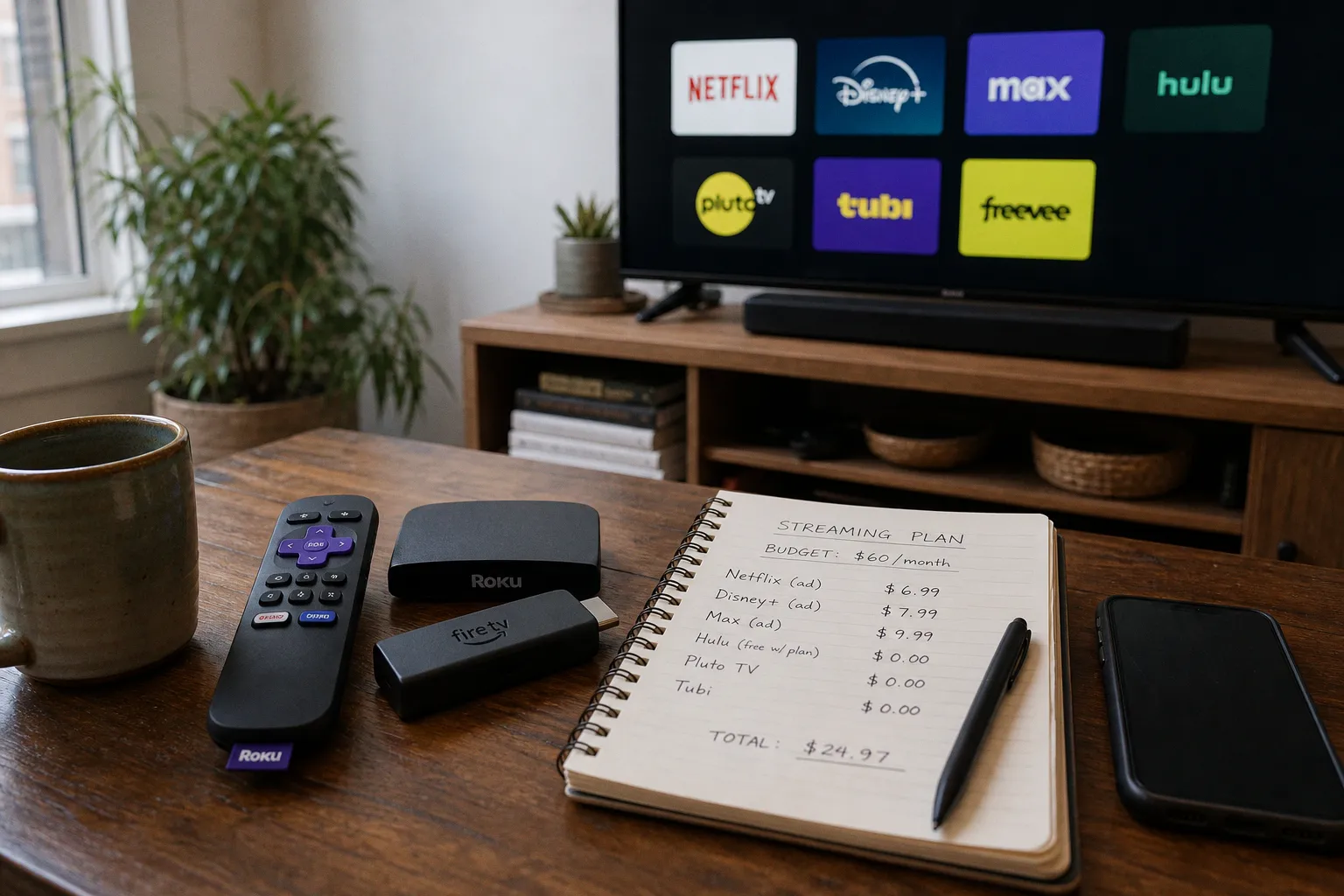
I've been cutting the cord, testing devices, and auditing my own streaming bill for years. Here's the playbook for matching new TV series releases to a budget that won't bleed you dry every billing cycle.
The real cost of staying subscribed year-round
The first illusion to kill: streaming is cheaper than cable. It is — until you stack five subscriptions without thinking. Five ad-free premium tiers at $19.99 each runs $99.95/month. That's the old cable bill, minus the sports channels.
The pricing model is built for fragmentation. Each platform prices its ad-free premium tier between $15.99 and $22.99. Ad-supported tiers run $6.99 to $9.99 — a $3 to $8 monthly discount per service. Apply that delta across five platforms and you're saving $15 to $40/month just by accepting the ad load.
Every subscription you're not actively watching is a line item bleeding cash.
Here's how the major tiers actually compare:
| Service tier | Typical monthly price | What you give up |
|---|---|---|
| Ad-supported standard | $6.99–$9.99 | Ad breaks, capped at 1080p on most platforms |
| Ad-free standard | $15.99–$17.99 | Full library, 1080p, two simultaneous streams |
| Ad-free premium (4K/HDR/Atmos) | $19.99–$22.99 | Highest bitrate, multiple streams, premium audio formats |
| Mobile-only plan | $4.99–$7.99 | Single device, no casting, lower resolution |
The trap is treating these like cable bundles. They're not. Each one is a standalone subscription you can start, pause, or kill without penalty — if you actually know the rules. The ecosystem lock-in here is psychological, not technical.
The churn and burn playbook
"Churn and burn" means subscribing to a service only for the duration of a specific show's season, then canceling before the next billing cycle. It's the single most effective cost-saving move for anyone tracking new tv series releases.
The mechanics:
1. Identify the full season drop window. Most streaming series drop weekly or in full-season batches. Eight to ten episodes usually means a two-to-three-month commitment.
2. Calculate the cost. Two months of Netflix Standard at $17.99 is $35.98. The same window of Disney+ Premium is $43.98. Compare that to a full year ($215.88 or $263.76) and the savings are obvious.
3. Set a reminder for the day before renewal. Cancel in the final 24 hours of your billing cycle. Your profile, watchlist, and recommendations stay frozen.
4. Reactivate when the next season drops. Your viewing history picks up where you left off.
Most platforms bury the cancel button under Account → Subscription → Manage. Don't shortcut this by removing your payment method — some services auto-pause rather than cancel, leaving the subscription in a half-state that complicates reactivation. Hit the actual cancel button, note the end date, and screenshot the confirmation.
A few caveats worth flagging. Some platforms now throttle password sharing and account reactivation — you may face a brief delay or a soft re-verification when you return. That's friction, not a dealbreaker. Also: licensing deals shift constantly. A show you watched last year on Platform A might be on Platform B this year. Don't trust "I'll watch it later" — watch it now or lose it.
You don't need five services running year-round. You need the right service for the right six weeks.
The churn-and-burn method works best for serialized dramas with fixed episode counts. Reality TV, daily talk, and 24/7 news channels don't fit this model — those need flat-rate or ad-supported access.
Stack your mobile and internet provider bundles
Your phone bill might already be paying for streaming access you forgot about. T-Mobile, Verizon, and AT&T bundle streaming subscriptions into specific plans at no extra cost. Netflix, Hulu, Max, Apple TV+, Disney+ — they all show up as perks on higher-tier unlimited plans.
This isn't charity. It's retention pricing. Carriers use streaming perks to keep you locked into $90/month unlimited plans instead of jumping to a $25 MVNO. But if you're already paying for that plan, the perk is essentially free.
What to check on each carrier:
- T-Mobile: Go5G Plus and Go5G Next include Netflix Standard, Apple TV+, and Hulu (with ads). Magenta Max customers get Netflix Basic.
- Verizon: Get More Unlimited and Play More Unlimited include Disney+, Hulu, ESPN+, and Apple TV+ in various combinations.
- AT&T: Unlimited Premium and Unlimited Extra include Max at no extra cost.
Log into your carrier account, navigate to perks, and link your streaming subscription. Activation typically takes 24 to 48 hours. This single move can wipe $15 to $20/month off your bill without canceling anything.
One warning: these perks are tied to your line. Cancel your phone plan and the streaming access dies with it. Read the fine print before treating bundled perks as a permanent solution.
Ad-supported tiers and FAST services: the underused tier
The $6.99 to $9.99 ad-supported tier is the most underpriced product in streaming right now. Most people assume ad-supported means a degraded experience — too many ads, missing content, broken playback. The 2025 reality is far less painful than that reputation suggests. You're looking at roughly four to six minutes of ads per hour, lighter than broadcast TV and far less than YouTube pre-roll marathons.
What you actually lose on the ad-supported tier:
- 4K and HDR (capped at 1080p on most platforms)
- Dolby Atmos audio
- Multiple simultaneous streams (usually capped at two)
- A handful of library titles excluded from the cheaper plan
What you keep:
- The full new-release schedule
- Mobile and tablet downloads
- Two-device simultaneous streaming
- The entire original content library
For most viewers, that's a fair trade. Save the $6 to $8 per service per month and route that money toward one premium tier for the single show you genuinely want in 4K.
Then there are FAST (free ad-supported streaming television) services. Pluto TV, Tubi, and Freevee give you access to thousands of older series, library films, and even some originals — entirely free, monetized entirely through ads. No subscription. No login. No payment method on file.
Pluto TV leans into live channels that mimic the cable experience — 24/7 Star Trek, 24/7 CSI, dedicated horror and crime blocks, plus genre-organized linear streams. Tubi has one of the deepest libraries of older films and TV series available without a subscription, owned by Fox with strong syndication deals. Freevee runs as a thin layer inside Amazon's ecosystem, so if you're already in Prime, the friction is near zero. None of them match the new-release firepower of Netflix or Max, but they fill the 90% of viewing time when you don't actually need a fresh episode.
The cheapest streaming plan is the one that matches what you watch tonight, not what you might watch someday.
Timing your subscriptions to the release calendar
This is where the actual math happens. Every streaming service publishes a release calendar for the upcoming quarter. Netflix drops a "What's New" list monthly. Disney+ and Max publish roadmaps. Apple TV+ announces premieres weeks in advance.
The strategy: build a 90-day watchlist, map each show to its platform and release window, then activate subscriptions only during those windows.
| Window | Active subscriptions | Estimated cost |
|---|---|---|
| January | Netflix (new season drops Jan 15) | $17.99 × 2 months = $35.98 |
| February | Netflix + Disney+ (Marvel finale Feb 28) | $36.98 for the month |
| March | Max (new HBO original Mar 10) | $16.99 × 1 month |
| April | Cancel everything except bundled perk | $0 |
Compare that to running all three subscriptions year-round: roughly $51.97/month, or $623.64/year. The timed approach runs $200 to $250 annually for the same content — assuming you actually watch what you subscribed for.
Tools to track release dates:
- JustWatch aggregates release calendars across platforms and country-specific Netflix, Max, Disney+ libraries.
- Reelgood builds a personal watchlist and tells you which platform each show lives on.
- Each platform's "Coming Soon" page is the most authoritative source for that platform's schedule.
For major premieres, set a calendar reminder two weeks before the drop date. That gives you time to reactivate the relevant subscription, clear your download queue from the last season, and prep your watchlist. For mid-season surprises (Netflix drops new shows with no warning), JustWatch's "Coming Soon" email alerts give you a 30-day heads-up on what each platform has planned.
The catch: release dates shift. Production delays, actor strikes, strategic rescheduling — they all happen. Calendar reminders help, but stay flexible. If a show gets pushed three months, drop that subscription and pick up the next one.
Verdict: stop paying for what you don't watch
The streaming industry's whole pitch is "watch what you want, when you want, cancel anytime." Most people ignore the second half of that sentence. They keep paying for services they haven't opened in six weeks because canceling feels like a chore.
It's not a chore. It's three clicks in account settings and one calendar reminder. If you're curious how subscription and access models differ across other digital ecosystems — and how token-based platforms handle content gating differently from monthly subscriptions — this 5-minute guide to the metaverse covers the basics.
Here's the system, distilled:
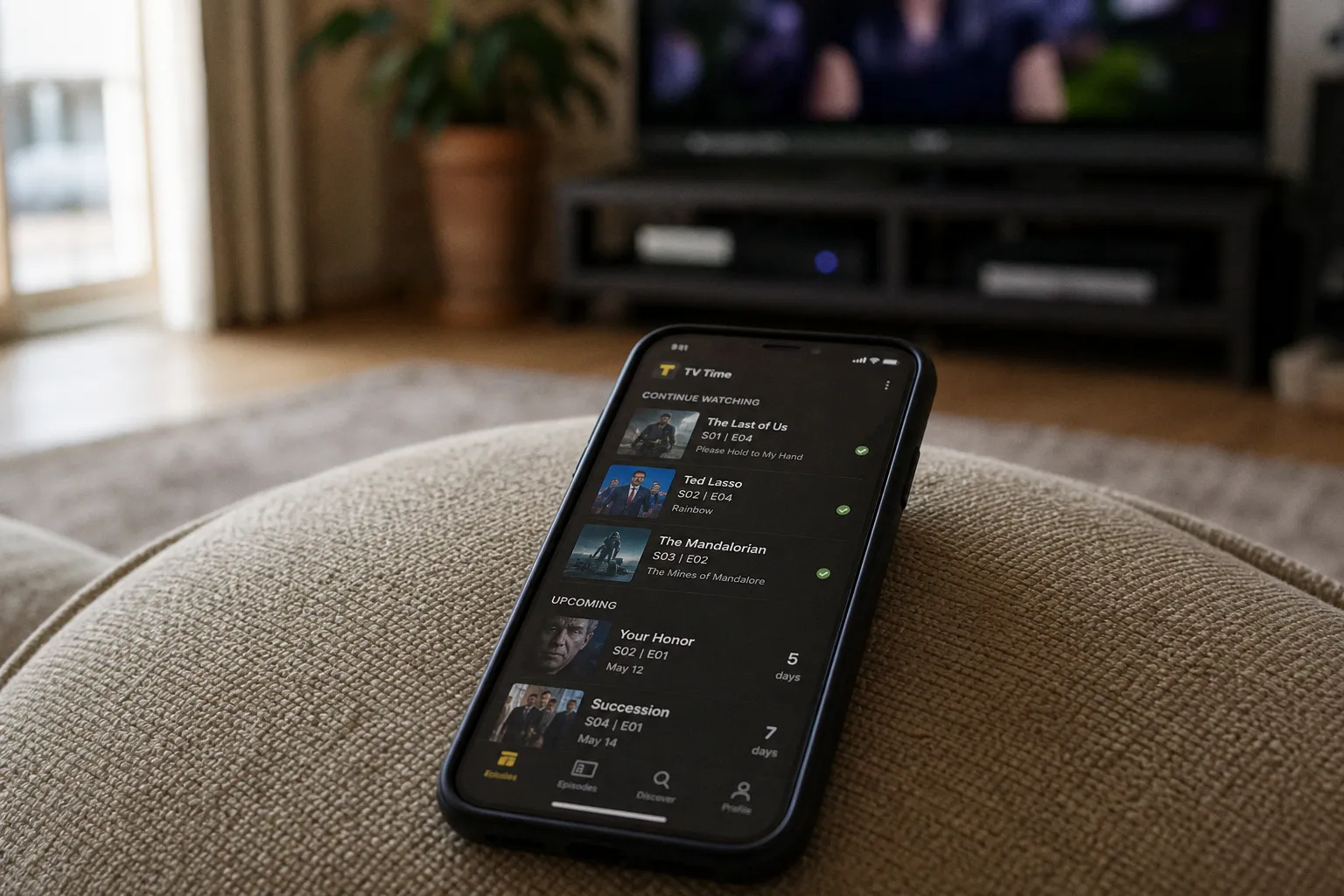
- Track new tv series releases on a single calendar — JustWatch, Reelgood, or your own spreadsheet.
- Stack subscriptions to match release windows, not the other way around.
- Default to ad-supported tiers unless you specifically need 4K or Atmos audio.
- Audit carrier perks every six months — they change.
- Use FAST services for everything else — Pluto TV and Tubi cover more library content than most people realize.
- Cancel immediately when a season ends. Don't wait for the renewal reminder.
The platforms want you on autopilot. Don't be on autopilot. Watch the shows. Kill the subscriptions. Run the numbers. That's how you keep the streaming bill under control without missing a single premiere.
FAQ
How can I save money on my monthly streaming bill?
What is the churn and burn method?
Do I lose my watch history if I cancel my subscription?
How can I get streaming services for free through my phone plan?
What are the downsides of choosing an ad-supported streaming tier?
 TV Shows & MoviesFind the best free tracker for upcoming TV series releases
 Cable & BroadcastingSelect the best satellite TV provider for rural sports
 Cord-Cutting & SubscriptionsDowngrade to Hulu with Ads to Save $10 a Month
 Instagram looks to take on streaming services with longer-form, episodic and live formats for its TV app