Google TV streaming device: which model should you buy?
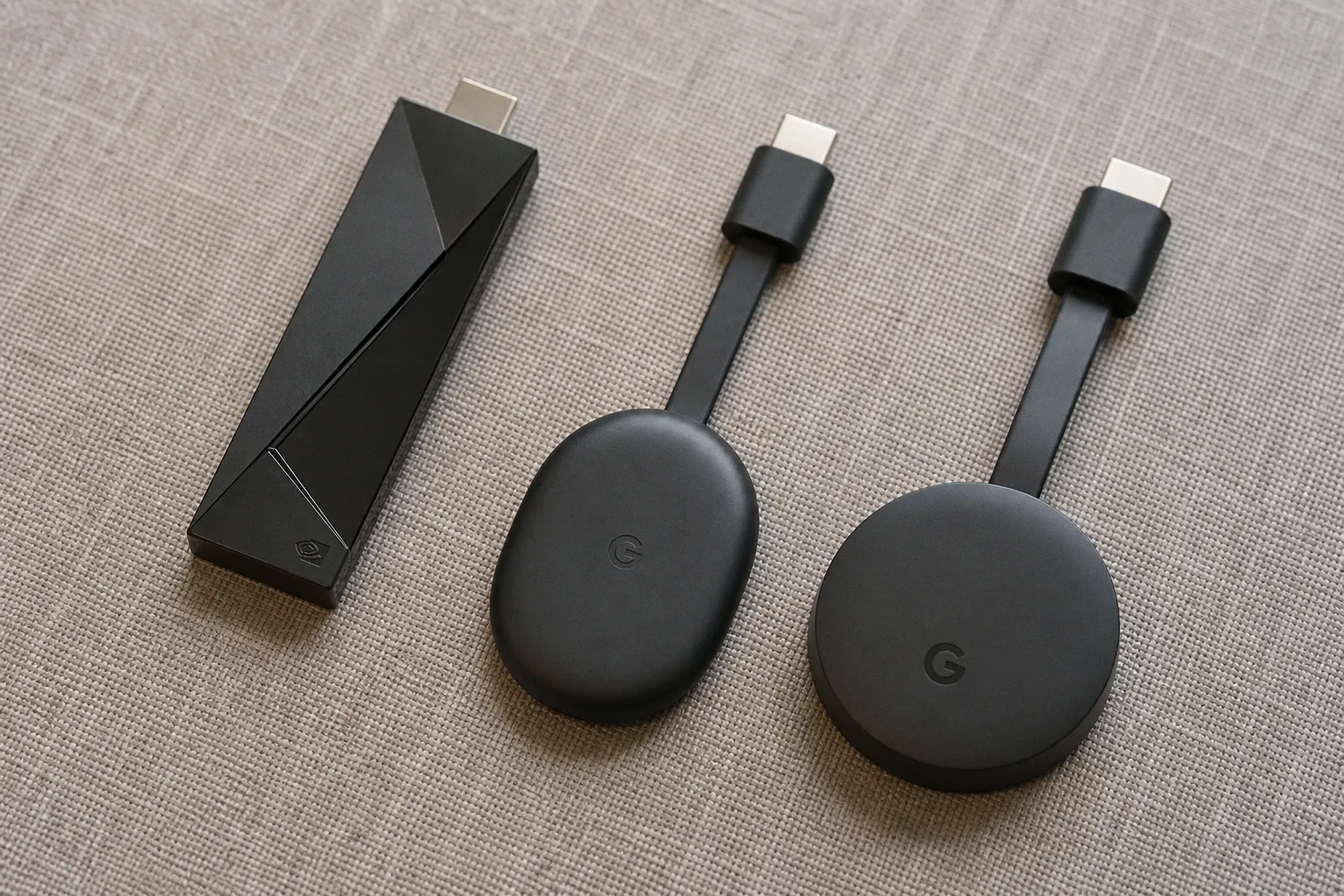
The Evolution of Google TV Hardware: From Dongles to Streamers
The Chromecast with Google TV was Google's 2020 reset. Up until that point, Chromecast was a $35 dongle with no UI — you cast everything from your phone. Useful, but a one-trick device. The 2020 model added a real remote, a real interface, and direct app installs. It was a proper streaming player that happened to retain cast support. For three years, that was the entry point. It supported 4K HDR at 60fps, Dolby Vision, HDR10, HDR10+, and Dolby Atmos. For most people, it was enough.
Then in August 2024, Google retired the "Chromecast" branding for its flagship hardware. The replacement is the Google TV Streamer — same operating system, same Play Store, but rebranded and repositioned as a premium-tier device. This wasn't a price cut. It was a re-segmentation. The Chromecast name now lives on a cheaper HD-only dongle aimed at the budget bracket under $30. The 4K class is its own product line, and the Streamer occupies it alone.
The practical effect: anyone shopping for a google tv streaming device in late 2024 and beyond is navigating two tiers that overlap awkwardly. The clearance Chromecast 4K is still excellent for what it does, and the Streamer costs 2x to 3x more for specific reasons. You need to know which tier matches your setup before you pull the trigger.
8GB of storage was a compromise in 2020. In 2024 it's a deal-breaker. The math hasn't changed.
Google TV Streamer vs. Chromecast 4K: The Real Differences
This is the comparison that matters for most buyers, so let me put the spec sheet in front of you. Both devices run the same interface and the same apps, but the hardware underneath separates the experience.
| Spec | Chromecast with Google TV (4K) | Google TV Streamer (2024) |
|---|---|---|
| Max resolution | 4K HDR at 60fps | 4K HDR at 60fps |
| HDR formats | Dolby Vision, HDR10, HDR10+ | Dolby Vision, HDR10, HDR10+ |
| Dolby Atmos | Yes | Yes |
| Storage | 8GB | 32GB |
| RAM | 2GB | 4GB |
| Ethernet | No (USB adapter required) | Yes (built-in) |
| Thread radio | No | Yes |
| Voice remote | Yes | Yes (rebuilt) |
| HDMI | 2.0b | 2.1 |
| Price (MSRP) | $50 (clearance) | $99 |
The 32GB storage jump is the headline. It's a 4x increase, and it's the spec that decides whether the box feels good in year two or starts choking on app updates. The 4GB of RAM is the second headline — it's what keeps the UI from stuttering when you bounce between Netflix, YouTube, and Plex. The Ethernet port is the unsung win. Anyone running a mesh network with a weak backhaul will feel the difference the moment they stop relying on Wi-Fi.
The HDMI 2.1 spec on the Streamer is mostly future-proofing. Few streaming apps actually saturate the extra bandwidth. The Thread radio matters only if you've already invested in a smart home setup that uses the protocol. Most buyers won't touch it.
So who pays the $49 premium? People who keep their hardware for four or more years. People with a NAS or Plex server. People whose Wi-Fi isn't rock solid. Everyone else gets the older box for less and walks away happy — for now.
Performance Tiers: Why Storage and RAM Actually Matter
Here's the math the spec sheet doesn't show you. A modern streaming app like Netflix takes 200–400MB after install. Disney+ is similar. Prime Video, YouTube, HBO Max, and a handful of regional apps stack on top. By the time you install the big six and a couple of niche services, you're using 2.5–3GB of an 8GB drive. That leaves roughly 5GB for the operating system, cached data, and future updates.
Google TV pushes OS-level updates that regularly exceed 1GB. Add the temporary storage that apps use for offline downloads, and you run out of room in 18–24 months. When storage drops below 1GB free, the box starts refusing app updates, then app installs. That's when buyers start shopping for a replacement. I see this pattern constantly on the older Chromecast HD and on budget Android TV sticks — they don't die, they suffocate.
32GB fixes this. You get around 28GB usable, easily enough for a full app library plus several seasons of offline downloads. The 4GB of RAM is the related upgrade. With 2GB, multitasking is sloppy. Switching from a live TV app back to Netflix takes 3–4 seconds of black screen. With 4GB, that switch is sub-second. It feels like a different device.
If you watch one app at a time and never store offline content, the Chromecast 4K is fine. If your household juggles four profiles and three streaming services, you'll feel the 32GB/4GB difference inside a year.
The third tier, beyond Google's own hardware, is the budget dongle market — Onn, Mecool, Xiaomi, and various Walmart exclusives running Android TV for $20–30. I don't recommend these. The 1.5GB of RAM and 8GB of storage in most of them produces UI lag you can't unsee. Save $20 now, spend $80 replacing it in 18 months. That's not a deal. If your priority is a cheap google tv player, the clearance Chromecast HD (1080p, around $20–25) is a better floor than the no-name alternatives. The 4K Chromecast at $30–50 is the smarter buy if your display can take 4K.
The Nvidia Shield TV Pro: Why It's Still the Answer for Power Users
The Nvidia Shield TV Pro launched in 2019. That's six years ago as of this review. It still costs $199. Most tech products would be dead by now. The Shield isn't. Two reasons: AI-enhanced 4K upscaling and Plex Media Server support.
The 4K upscaling is the killer feature. The Shield's Tegra X1+ chip runs a neural network that takes 1080p and 720p content and upscales it to look closer to native 4K. It's not magic — you can still see the difference between upscaled 1080p and a true 4K source. But for older TV shows, standard-def streams, or YouTube content that maxes out at 1080p, the Shield produces a noticeably sharper image than any other Google TV box. On a large 4K display, that gap is obvious.
Plex Media Server is the other half of the equation. The Shield is one of the few streaming devices that can host a Plex server natively. You load it with an external hard drive, point your media at it, and stream to any Plex client in the house — including the Shield itself. No computer required. For cord-cutters with a large ripped-media library, this is the only realistic Google TV option.
The price is the catch. At $199, the Shield is double the Google TV Streamer and six times the clearance Chromecast. The remote is mediocre. The interface is starting to look dated. Software updates from Nvidia are slower than what Google ships for its own hardware. You're paying for two specific things: upscaling and Plex. If neither matters to you, skip it.
Gamers might also consider the Shield. It supports GeForce Now cloud streaming and can moonlight as a half-decent Android game emulator box. For everyone else, the gaming pitch is theoretical — the games library on Google TV is thin, and you're better off with a dedicated console.
Navigating the Ecosystem: Apps, Casting, and the Google TV vs. Android TV Distinction
One thing that stays consistent across every Google TV device: the app catalog. Google TV runs on top of Android TV, and that gives it access to the Google Play Store's library of over 10,000 apps. Netflix, Prime Video, Disney+, YouTube, HBO Max, Apple TV+, Peacock, Paramount+, Hulu — all there. The long tail is there too, including regional sports apps, niche streaming services, and various utility tools.
But Google TV and Android TV are not the same thing, and the marketing blurs this on purpose. Android TV is the underlying operating system — the Android-based kernel, the app runtime, the casting stack. Google TV is a specific interface layer that sits on top of Android TV. It's the home screen, the recommendation engine, the watchlist, the "For You" row. A device can run Android TV without running Google TV (older Sony and TCL sets did this for years). A device running Google TV is, by definition, running Android TV underneath — but the user experience is different.
This matters when you shop for a smart TV versus a streaming box. A "Google TV" smart TV from Sony or TCL has the same interface as a Google TV Streamer, but the hardware underneath is often slower — cheaper SoCs, less RAM, weaker Wi-Fi. The interface looks the same. The feel does not. A $50 streaming box will frequently outperform a $500 smart TV running the same software because the dedicated box has better thermals and a more capable processor. That's not brand loyalty talking. That's thermal headroom.
Casting still works on every Google TV device. If your household runs on Chrome tabs, Android phones, and YouTube, you can fling content to the box from any of them. AirPlay support is built into most recent Google TV hardware, which is convenient for iPhone households. YouTube remains the single most-cast platform on these devices, and the creator economy behind it shapes a lot of what ends up in the recommendation engine. Google's "For You" rows pull from your YouTube watch history, which means the channels you follow on the app surface directly on your TV's home screen. Tune that watchlist deliberately and the home row stops looking like generic trending content. Let it run wild and you'll wonder why the box keeps surfacing videos you don't care about. The same logic applies to anything you add to your Google TV watchlist across phones, tablets, and the web — the platform cross-pollinates aggressively.
Smart home integration is the last piece. The Google TV Streamer ships with a Thread radio, which is the protocol underlying Matter-compatible smart home devices. The Chromecast 4K does not. If you already have a Thread border router elsewhere in the house, this is irrelevant. If you're starting a smart home setup from scratch, the Streamer is a useful hub to consolidate around. For everyone else, treat it as a bonus, not a reason to upgrade.
The Verdict: What to Buy, What to Skip
Three recommendations, sorted by use case. I stand behind all three.
- If you watch Netflix, YouTube, and Prime Video on a 4K TV and you don't store offline content: buy the Chromecast with Google TV (4K) while it's still on clearance shelves at $30–50. It's not the newest hardware, but it does the job for under $50. The 8GB storage is a known limitation, but if you're not installing 20 apps and downloading seasons of shows, you'll get 2–3 years of clean use out of it. When it slows down, replace it. The total cost of ownership is still lower than the $99 Streamer.
- If you have a 4K display, want Dolby Vision and Dolby Atmos, and plan to keep the box for 4+ years: get the Google TV Streamer at $99. The 32GB storage and 4GB of RAM are the kind of spec floor that prevents the "this thing is laggy" complaint in year two. The Ethernet port removes a variable from your network setup. The HDMI 2.1 support is genuine future-proofing. You pay for it once and forget about it.
- If you run a Plex server, own a large library of ripped media, or watch a lot of upscaled 1080p content on a big 4K screen: spend the $199 on the Nvidia Shield TV Pro. No other Google TV box touches its upscaling quality, and no other device can host a Plex server natively. The price is steep, but the Shield is the only Google TV hardware that hasn't aged into obsolescence since 2019. For everyone else, it's overkill.
Skip the $20–30 no-name Android TV sticks. Skip the "smart TV" marketing that promises four years of updates — they almost never deliver. Buy the streaming box that matches your actual usage, not the one with the prettiest box art. The math is straightforward once you stop believing the marketing.
FAQ
Should I buy the Google TV Streamer or the Chromecast with Google TV (4K)?
Why is the 32GB storage on the Google TV Streamer important?
Is the Nvidia Shield TV Pro worth the $199 price tag?
Do I need the Thread radio included in the Google TV Streamer?
Are cheap $20–30 Android TV sticks a good alternative?
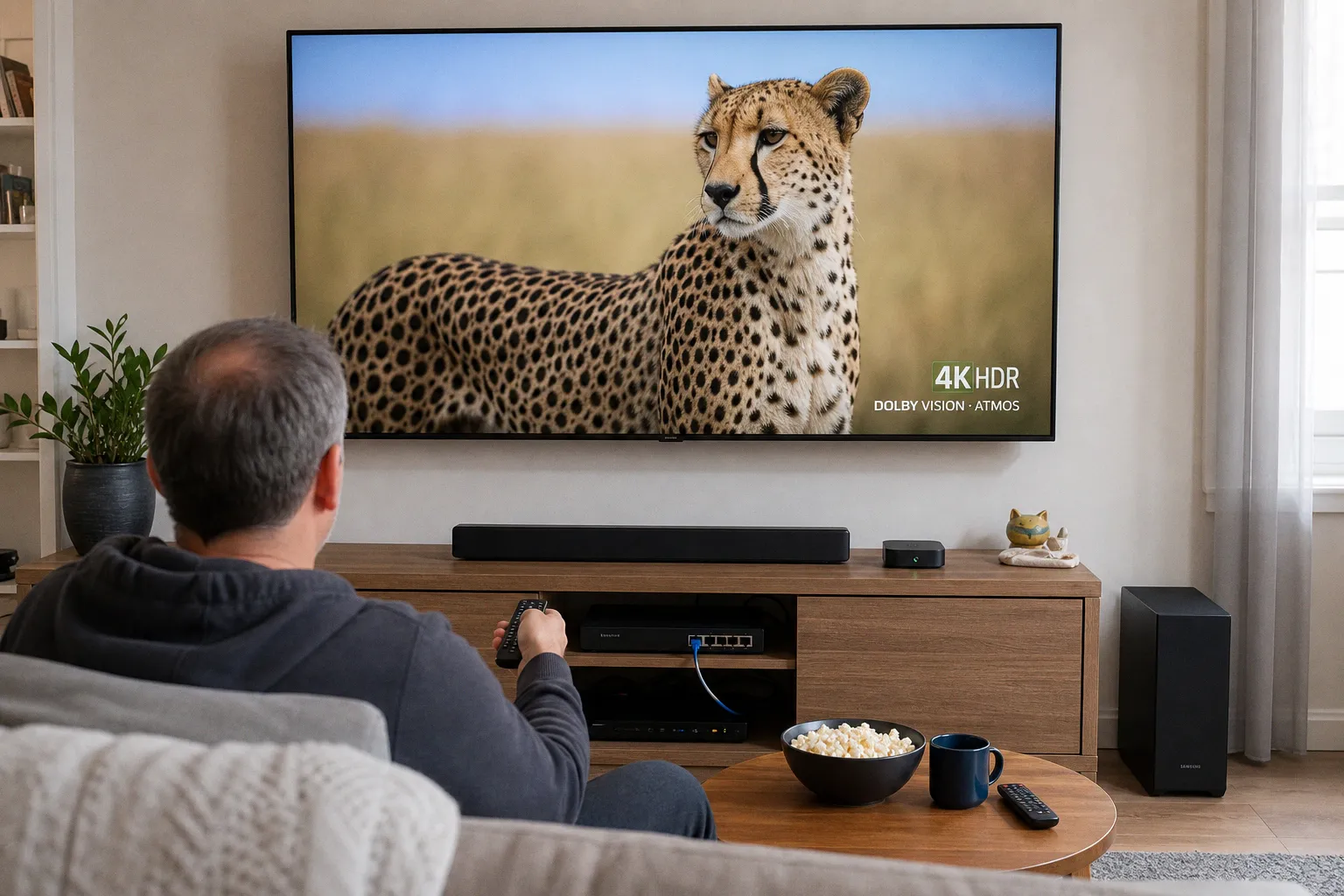 Streaming Devices & Smart TVsSelect a streaming player with Ethernet for 4K HDR
 Cable & BroadcastingSelect the best satellite TV provider for rural sports
 Cord-Cutting & SubscriptionsDowngrade to Hulu with Ads to Save $10 a Month
 Instagram looks to take on streaming services with longer-form, episodic and live formats for its TV app